Shadow AI visibility
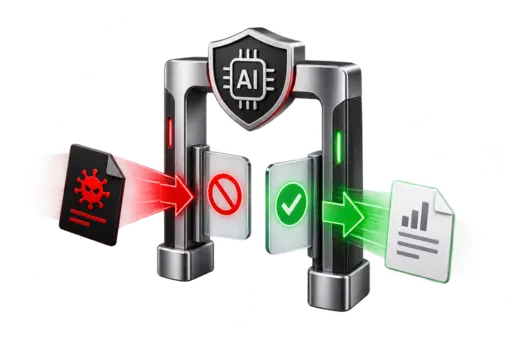
Discover and monitor supported browser-based generative AI services so previously unknown use can be reviewed against business policy.
 Start a conversation
Kenmie Computer + Acronis
Acronis GenAI Protection helps organizations discover generative AI use, protect sensitive information in supported prompts, and turn written AI policy into enforceable technical safeguards.
Complementary control points
Cloud application and identity visibility helps expose risky AI connections, while prompt safeguards help protect sensitive data where supported AI tools are used.
Why it matters
Employees can connect new AI tools or paste regulated and confidential information into public services without realizing the exposure. Governance requires both visibility into the applications and controls over what users are permitted to submit.
Acronis GenAI Protection
Coverage depends on the AI service, interaction channel, and licensed Acronis components. Kenmie scopes the supported controls before deployment.
Discover and monitor supported browser-based generative AI services so previously unknown use can be reviewed against business policy.
Inspect supported prompts for information such as PII, PHI, credentials, financial details, and confidential business data.
Block unauthorized sensitive-data submissions and restrict unwanted AI services through supported protection and URL-filtering controls.
Detect and block supported prompt-injection and abusive prompt techniques that could manipulate AI behavior or introduce unsafe content.
Complementary protection
CloudDR sees the cloud application and identity relationship. Acronis GenAI Protection focuses on the supported user interaction with AI.
How the distinction works
CloudDR can discover the application, identify the user and risky OAuth permissions, and help remediate the cloud connection. This is primarily a cloud application and identity problem.
Acronis GenAI Protection is designed to inspect the supported prompt, recognize sensitive information such as PHI, and block an unauthorized submission. This is an AI interaction and data problem.
The accountable layer
Kenmie can bring assessment, policy, configuration, monitoring, and ongoing review together so technical controls follow the customer’s approved approach to AI.
Healthcare and regulated data
Prompt-level controls can help reduce unauthorized disclosure of PHI, PII, credentials, and confidential information. No single product establishes HIPAA or other regulatory compliance; policies, risk analysis, workforce practices, and documented oversight remain essential.